How to add a profile
Profiles allow you to create, execute and manage campaing the campaigns. To add a profile please take the following steps:
Step 1: Navigate to profile page
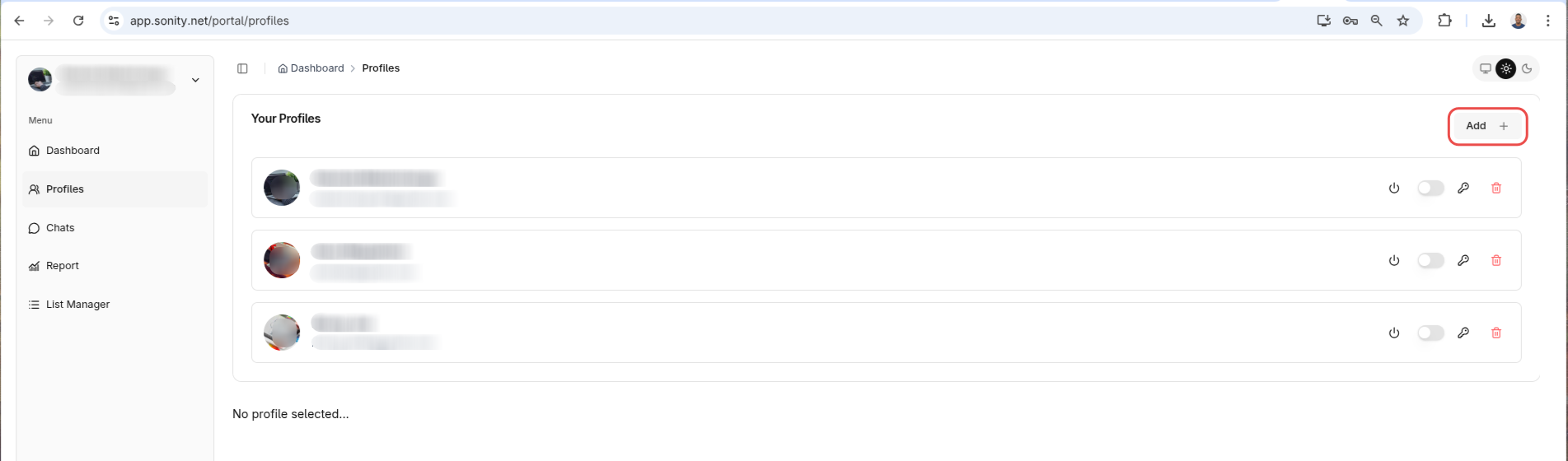
Navigate to profiles page and click "Add" button"
Step 2: Add credentials
When a popup shows up your LinkedIn credentials and click add:
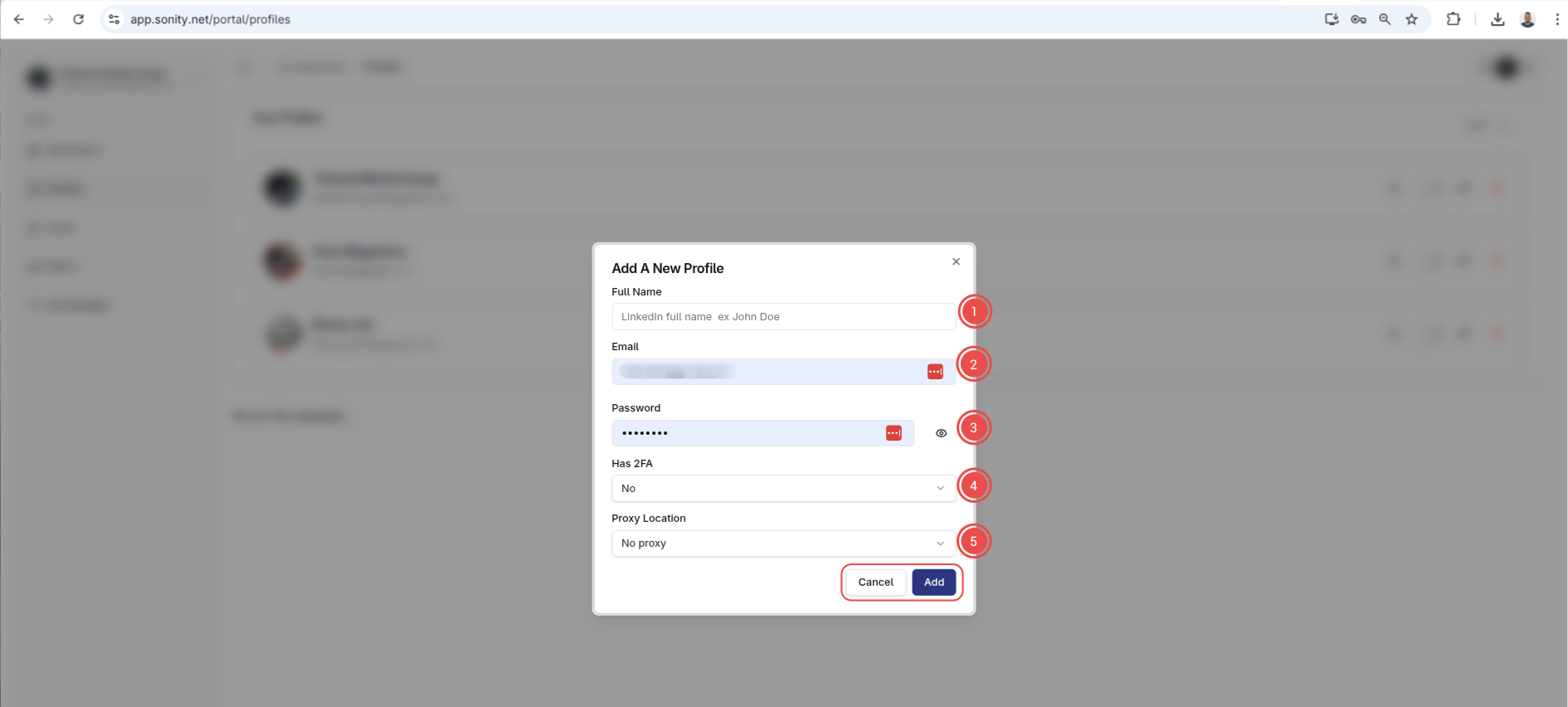
Please note: Your credentials are encrypted both in transit and in rest
Step 3: Verify profile
This should add your profile. From here if your driver is setup you can click the verify button:

After verification is done your profile should be ready to go.