Campaign Steps
After creating your campaign and adding contacts, Sonity needs to know how it will execute the campaign, that's where Steps come in. Steps in Sonity are like what a recipe is to a chef, and they define every action Sonity needs to execute for each contact in the campaign.
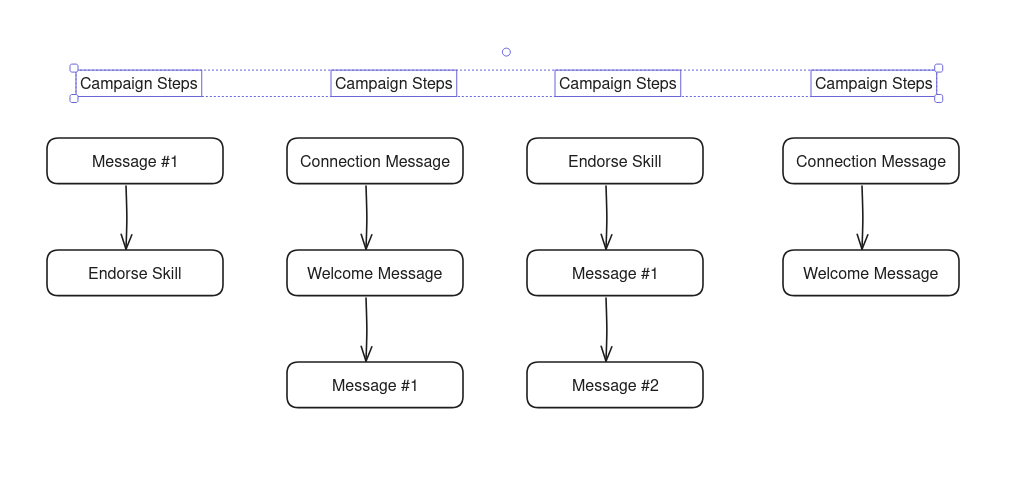
How do you define steps
Steps are defined from the Steps Tab. Most campaigns will come come with default steps:

The structure of a Step
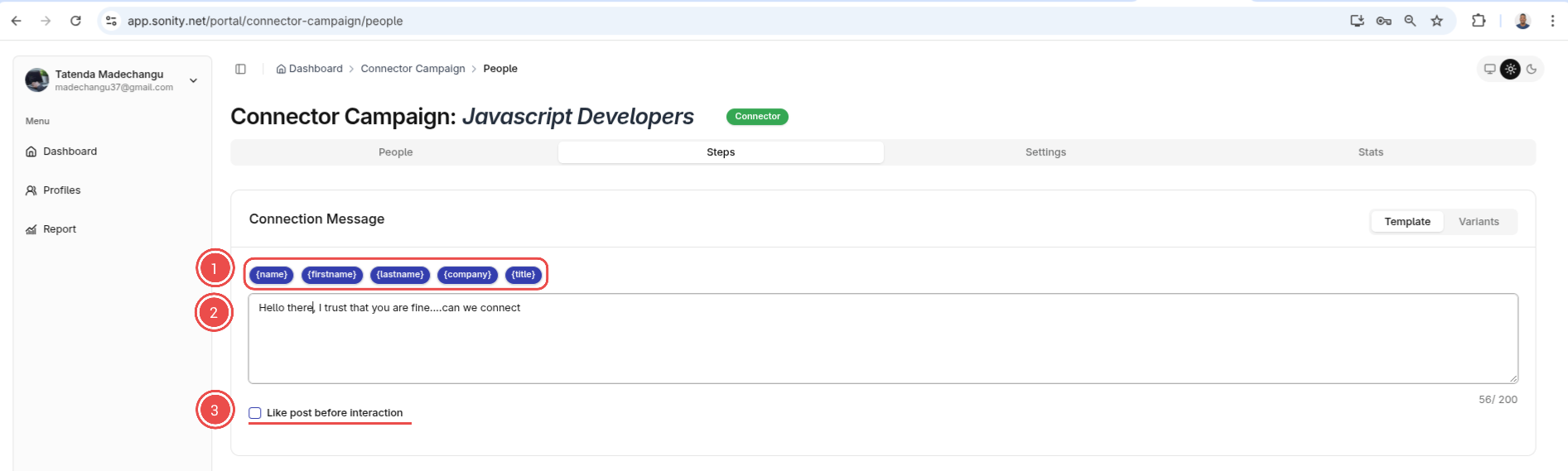
Most steps will contain either all or some of the following options
1. Template strings
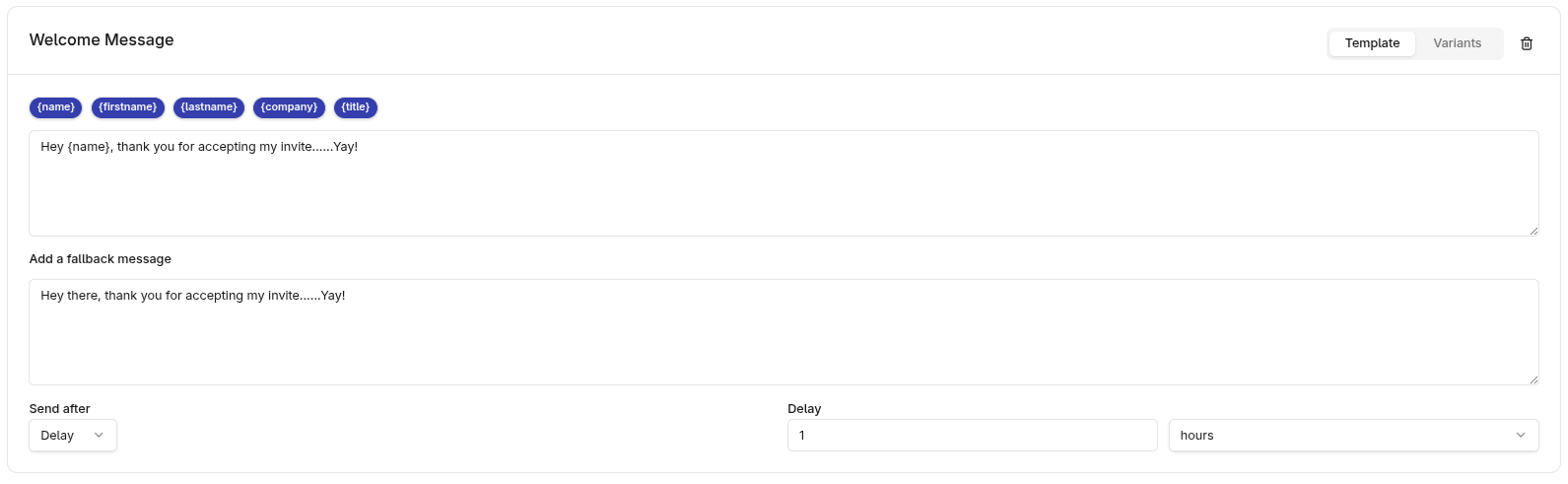
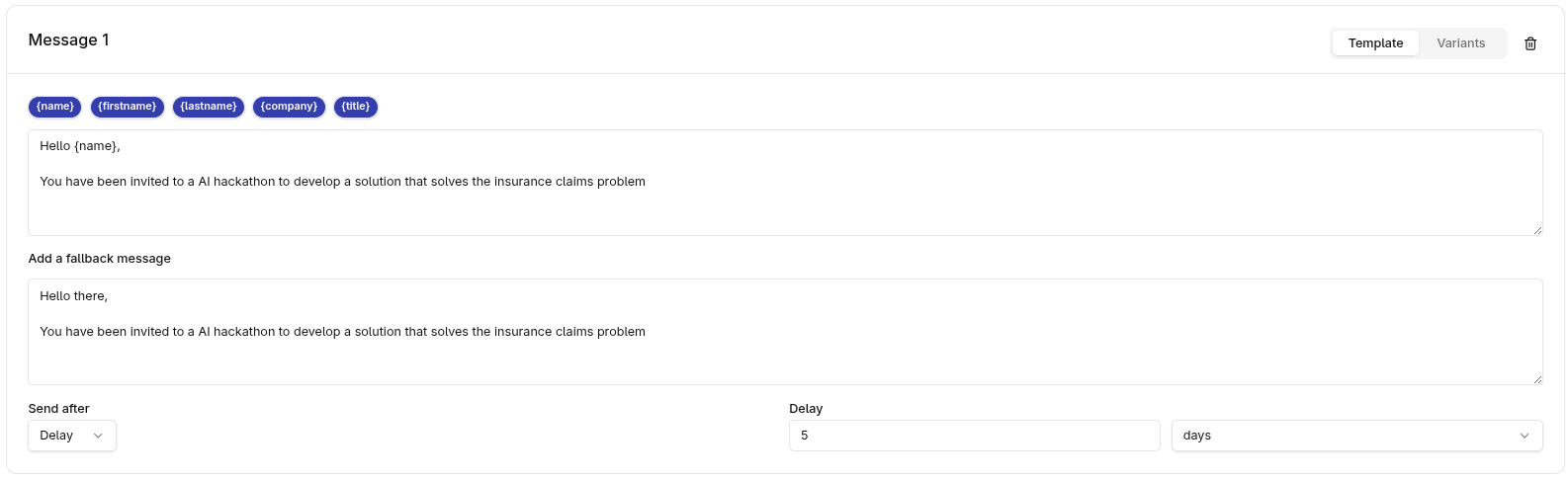
Instead of sending general messages, Sonity allows you to send personalized messages through template string for example if click firstname literal
Hi {firstname}, how are you?
It will substitute firstname for every contact's name for example
Hi John, how are you? Hi Grace, how are you? Hi Mark, how are you?
2. Main Message
Main message is the main message that gets send if no issues occur.
3. Like Post before interacton
This will like a contact's post before sending the message. Interacting with a contact's content before sending an unsolicitated message or a connection request has been proven to increase success
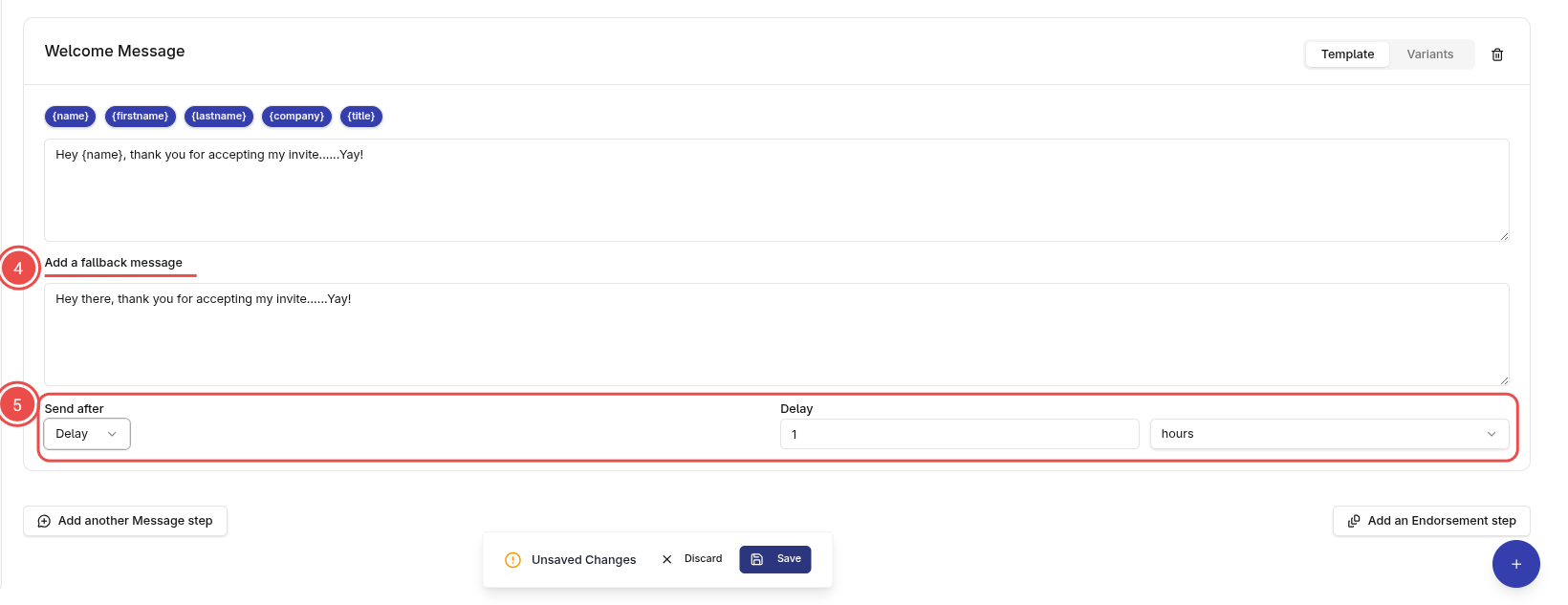
4. Fallback Message
When parsing issues occur, the fallback message gets sent. This ensures that the contact recieves the message even when an issue occur.
5. Delay
A step is usually executed immediately (As long as the driver is in its execution window). However you may prefer sending the message after a certain delay. For example if a contact accepts your message you wouldn't want to execute a welcome message immediately and it will look fishy.
Types if steps
There are many types of steps. However before diving into the steps please take a note of this:
- Steps are unique in the way they are executed, so you cant send a Welcome Message using a Connection Message step and vise versa. So use a step for its intended purpose. - Connection Message and Welcome Message steps should be run once per contact in a campaign
1. Connection Message Step
This step is used to send an Invite message to a contact. If this step succeeds you will have a new connection. Its mostly used in a Connection Campaign.
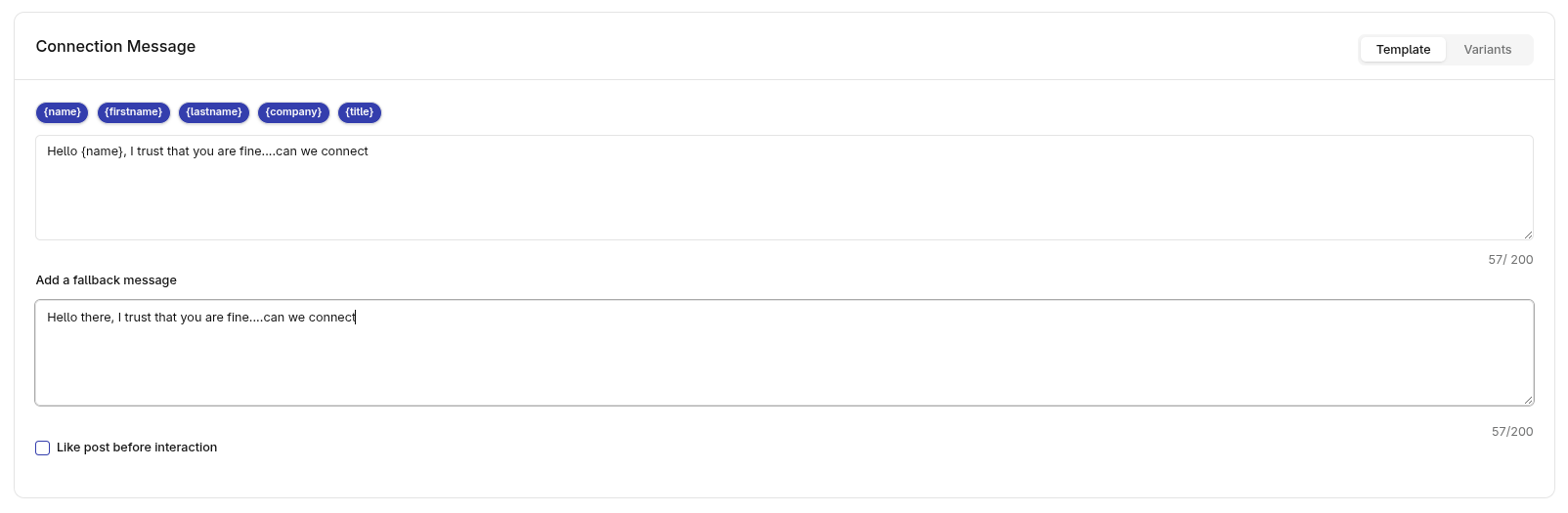
2. Welcome Message
This step is used to send a Welcome message after a successful connection.
3. Message Step
This is used to a message to to a contact. Unlike a Welcome or Connection message, you can have more of these:
4. Endorsement Step
This step is used to endorse a random skill for every contact in that campaign. You can use use this either before or after other steps
