Messenger Campaign
A Messenger campaign allows you send automated messages to your contacts. The goal of a messenger campaign is to generate direct conversations and nurture potential leads.
How to create a Messenger Campaign
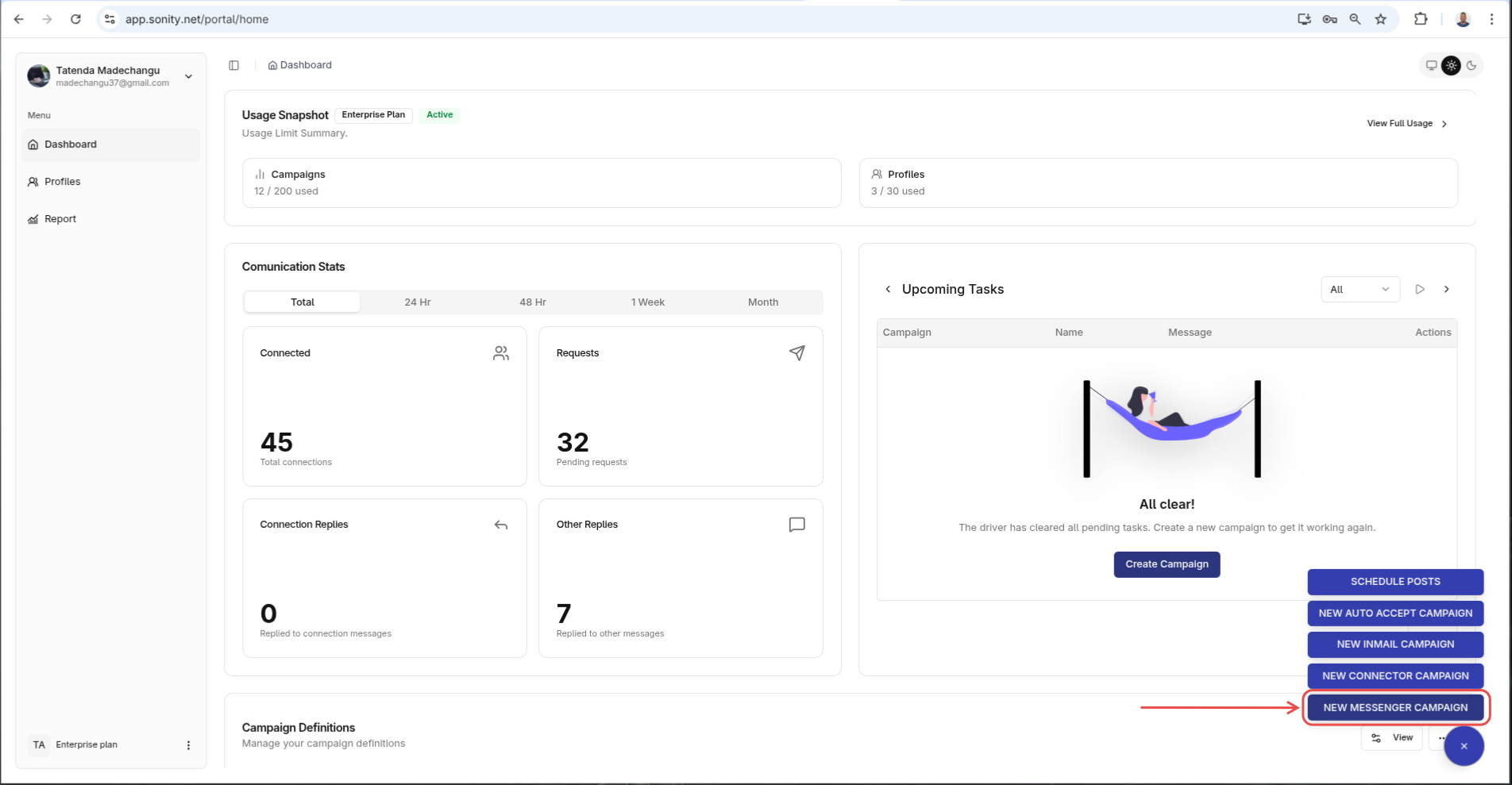
Step 1: Click New Messenger Campaign
Navigate to the Home page and click New Messenger Campaign:
Step 2: Enter name and/or campaign seed
Enter campaign name and seed campaign if there is one. When you select a Seed Campaign, its campaign steps will be used to seed the current campaign that you are creating. In other words this current campaign will have Seed Campaign step after creation:
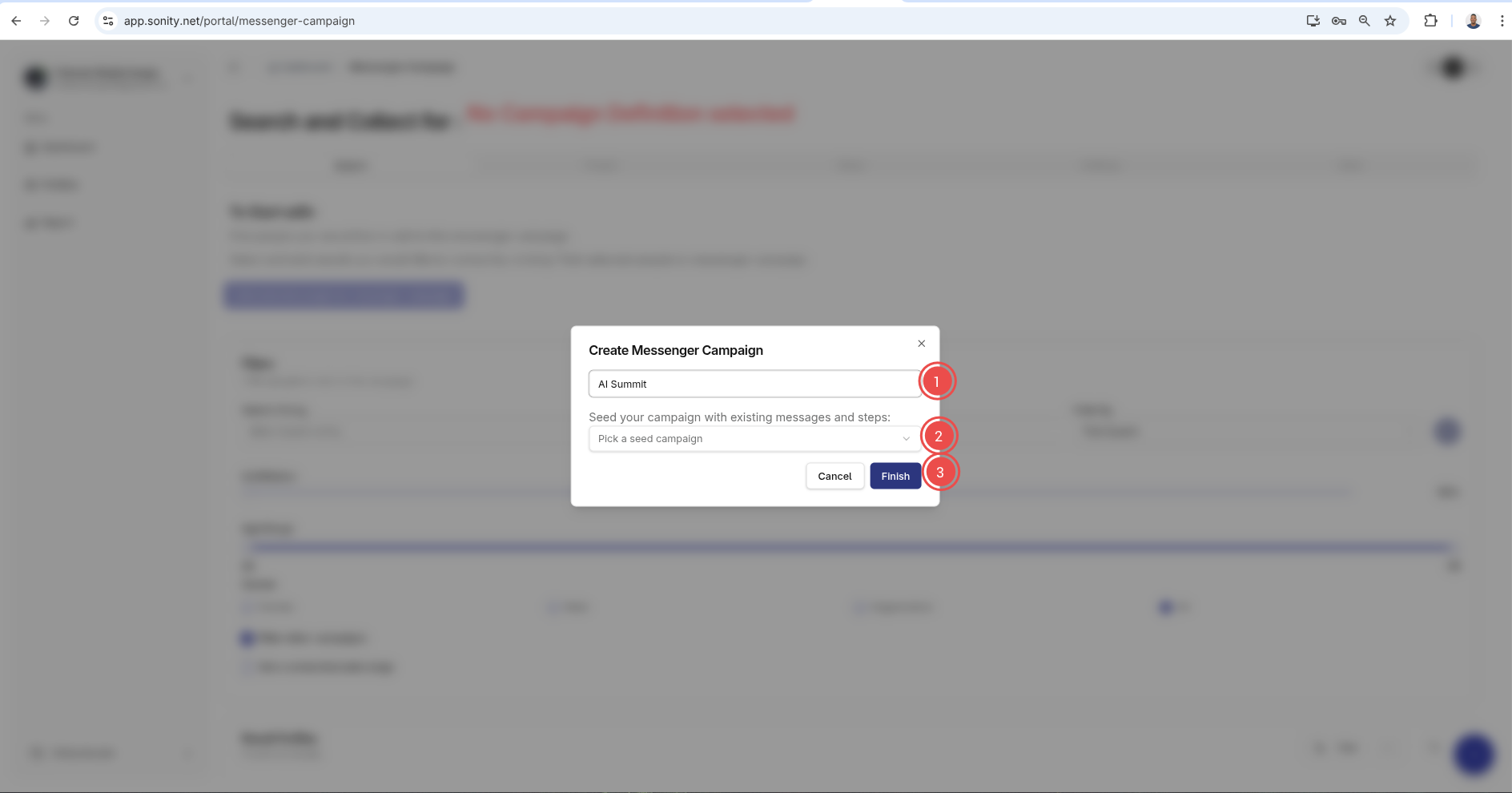
After that click Finish
Step 3: Add contacts
After your campaign is created you will be redirected the Search tab.
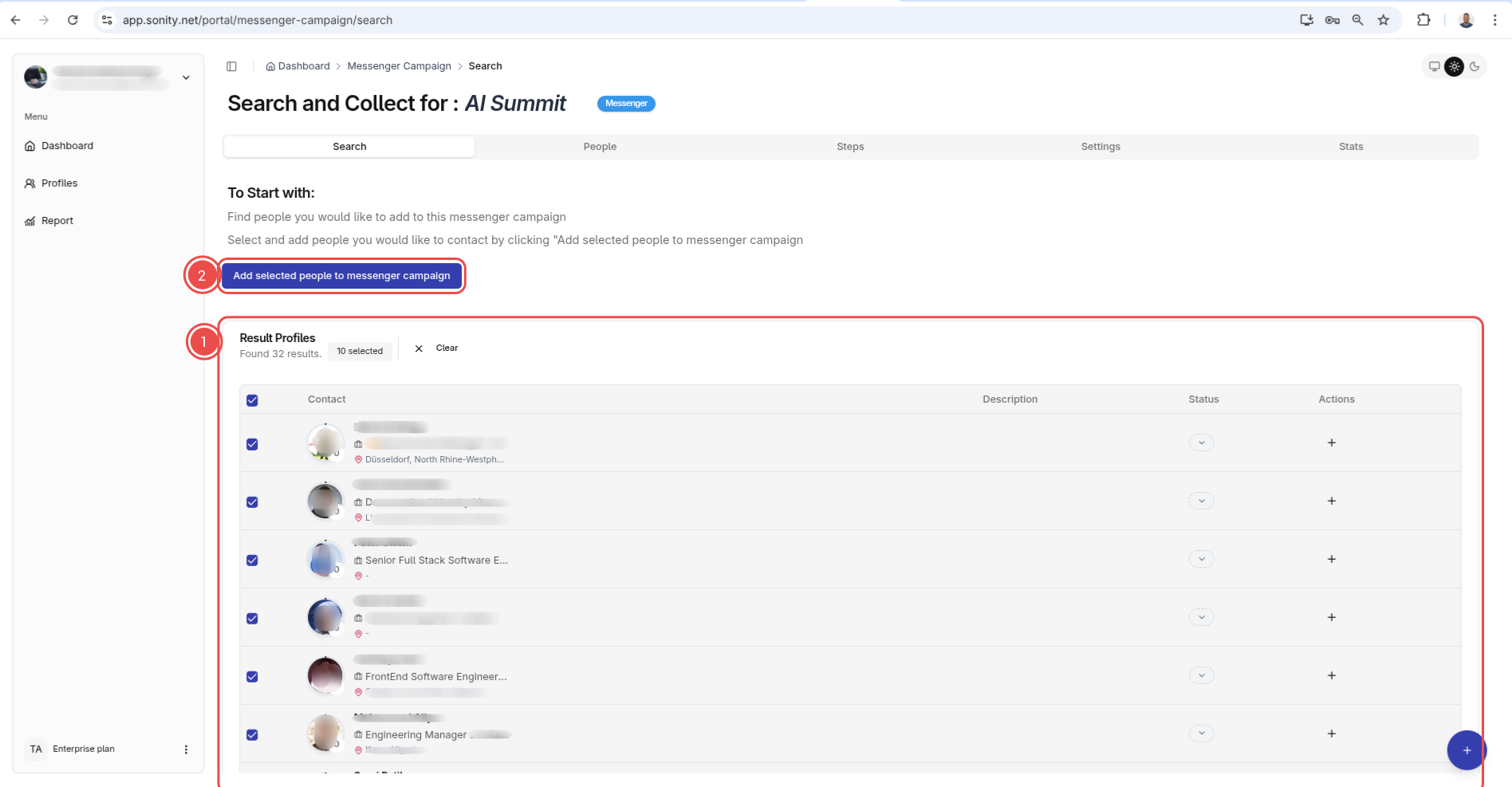
On the Search tab you have to add contacts. Sonity will send messages to these added contacts.
To add contacts select all desired contacts and click "ADD SELECTED PEOPLE TO MESSENGER CAMPAIGN" button.
Step 4: Add steps
From here you need to add the steps. Sonity will execute each of these steps against every contact that is in your campaign.
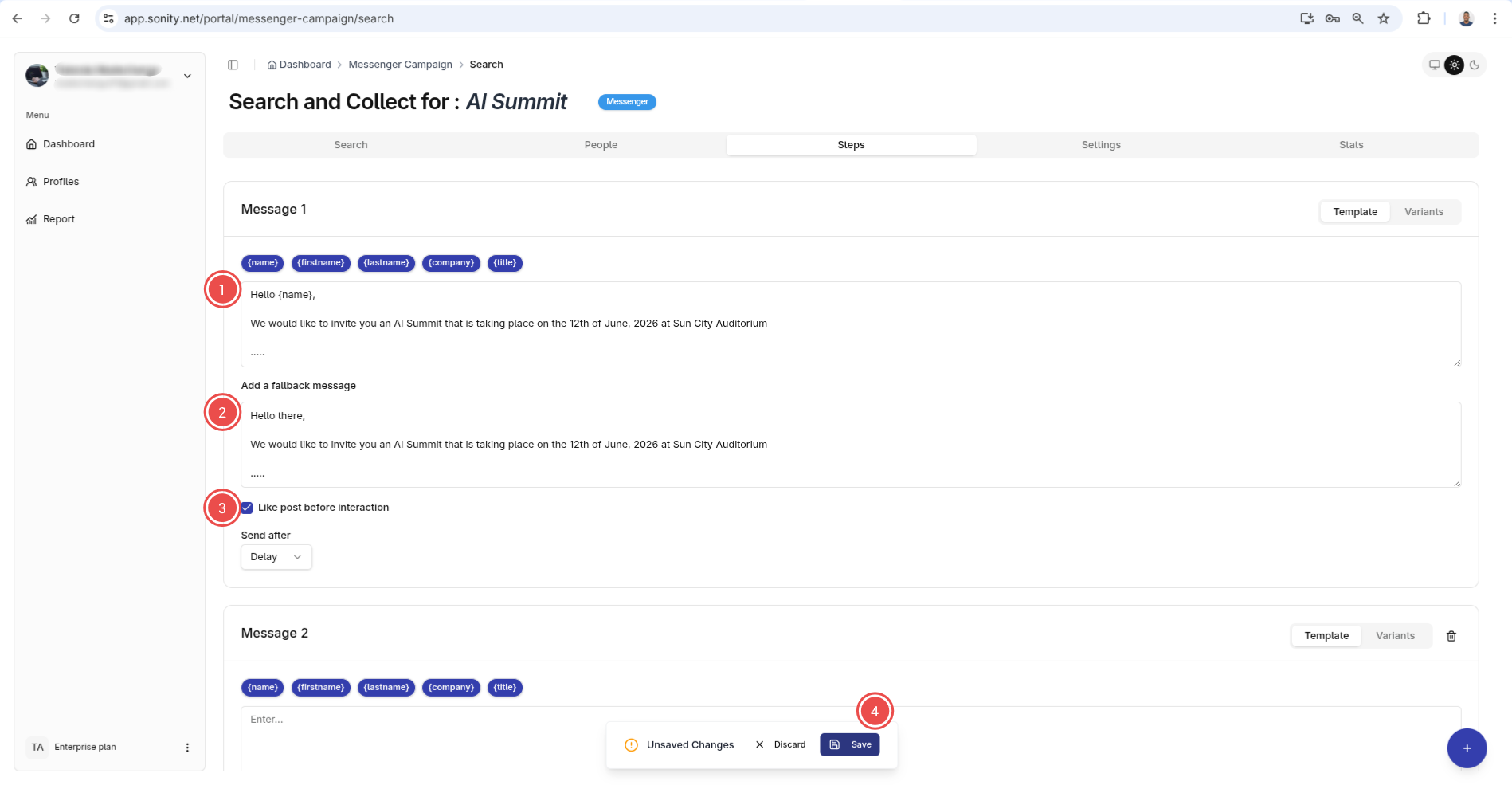
For more information check the Steps documentation