Schedule Posts Campaign
A Schedule post campaign enables you to schedule posts in advance. After you have made your posts, Sonity will create the posts on LinkedIn for you.
How to create a Schedule Post Campaign
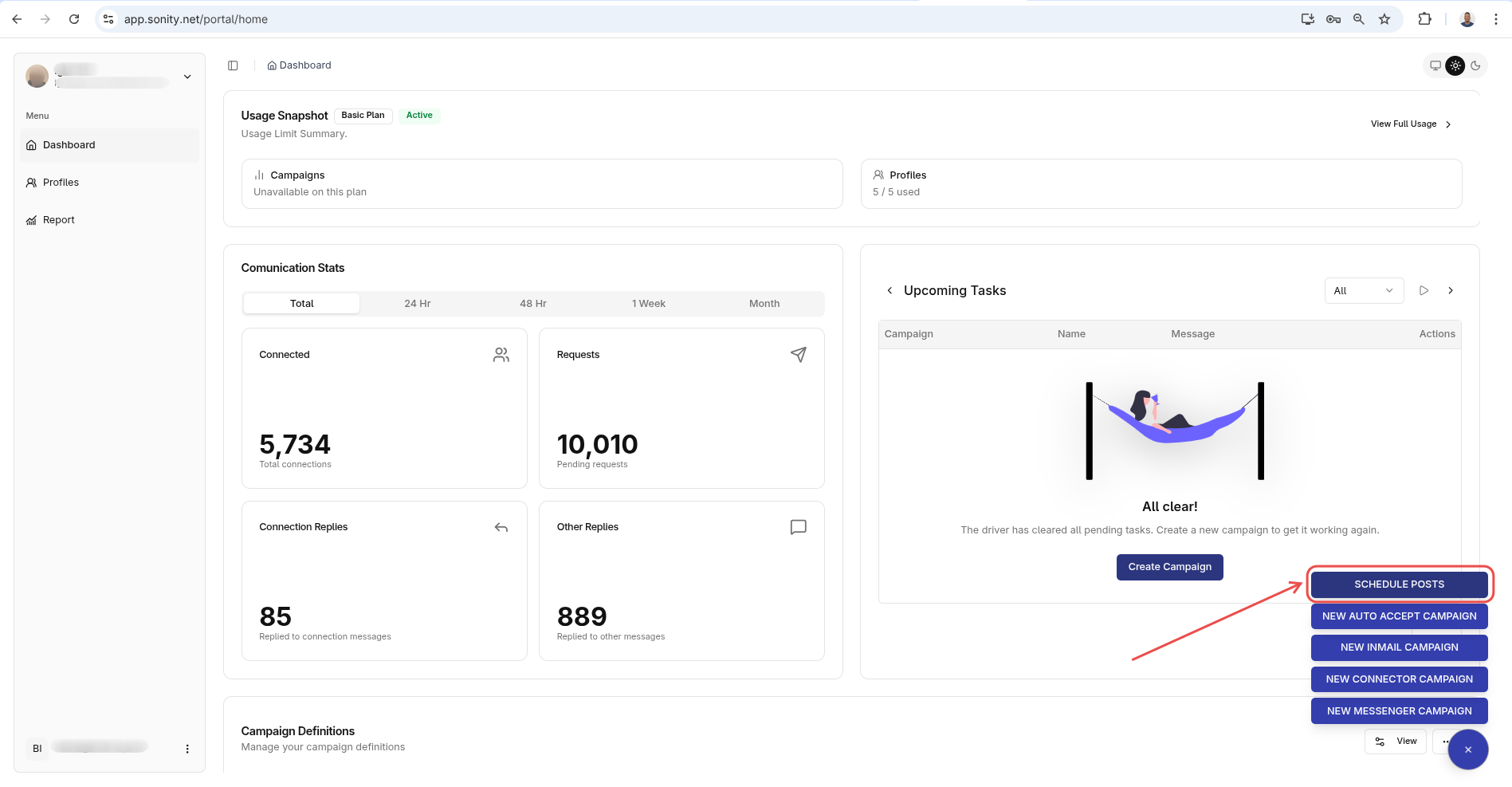
Step 1: Click Schedule Post Campaign
Navigate to the Home page and click the Schedule Posts button:
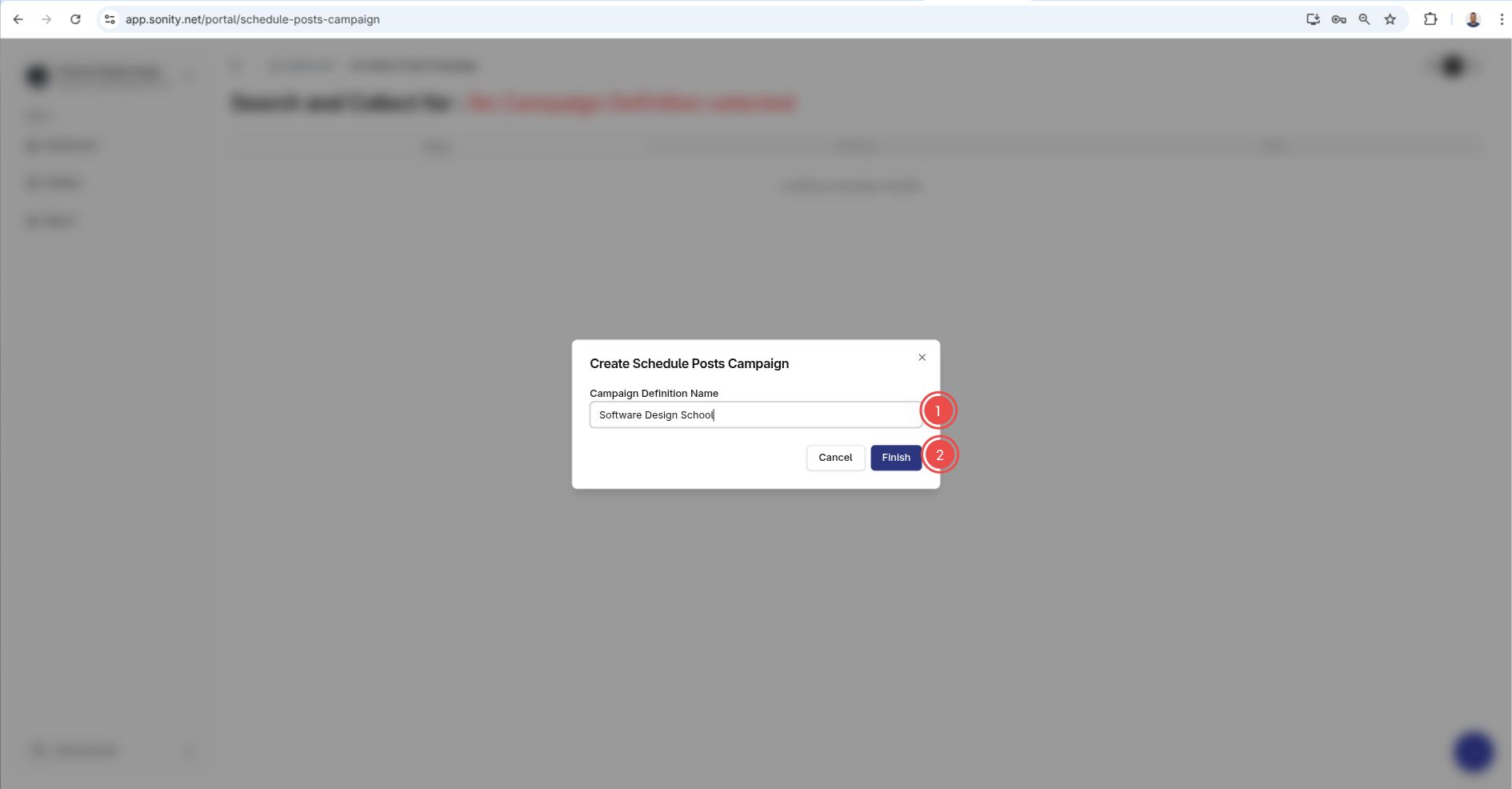
Step 2: Enter campaign name
Enter campaign name and click Finish:
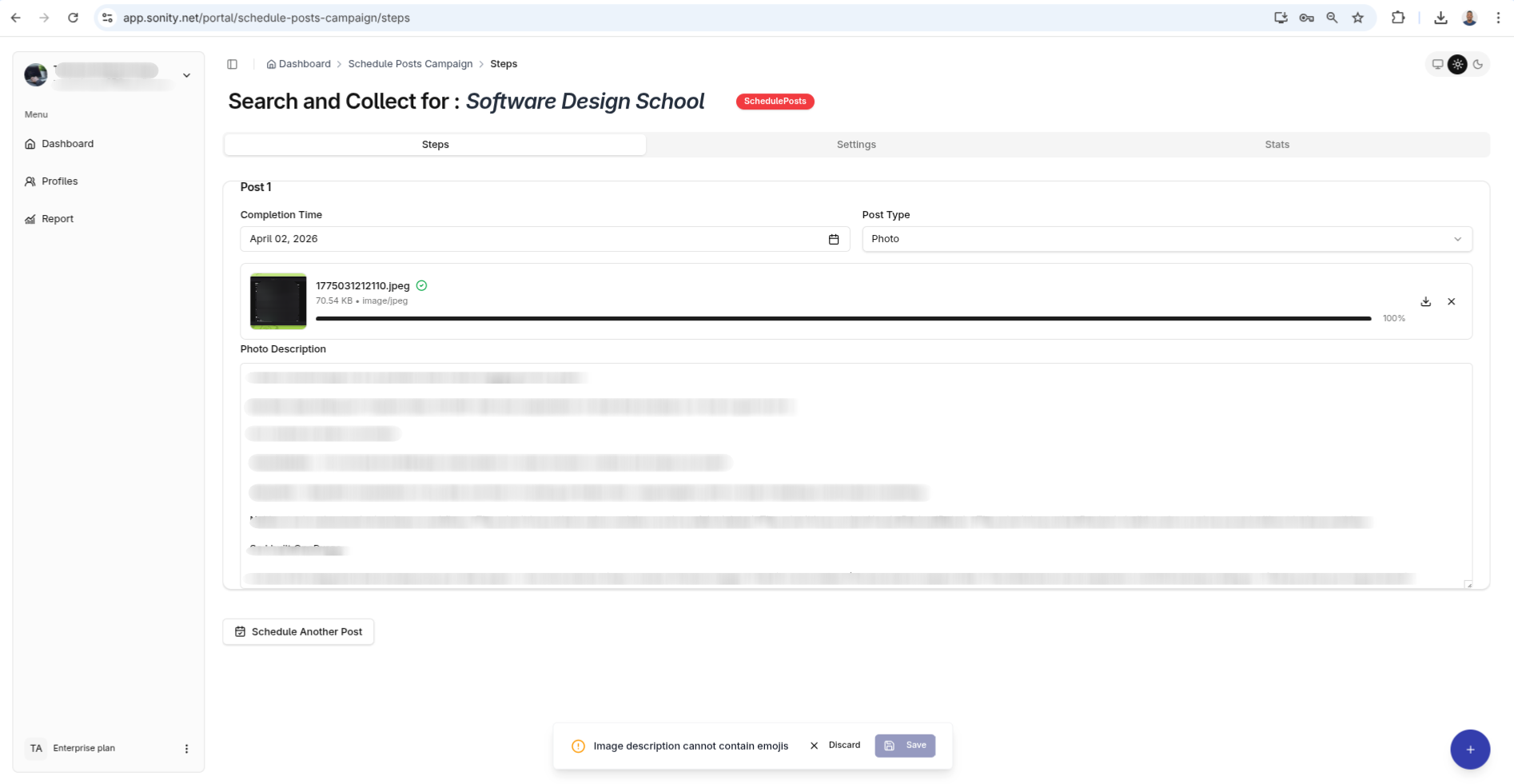
Step 3: Add steps (Posts)
After you campaign is created you need to add posts to the campaign.
Step 4: Enable Campaign
Go to the Settings tab and click the enable campaign switch